
Car DUELS Controls & Driving Tips
Master WASD and thumbstick habits that land front-bumper knockouts.
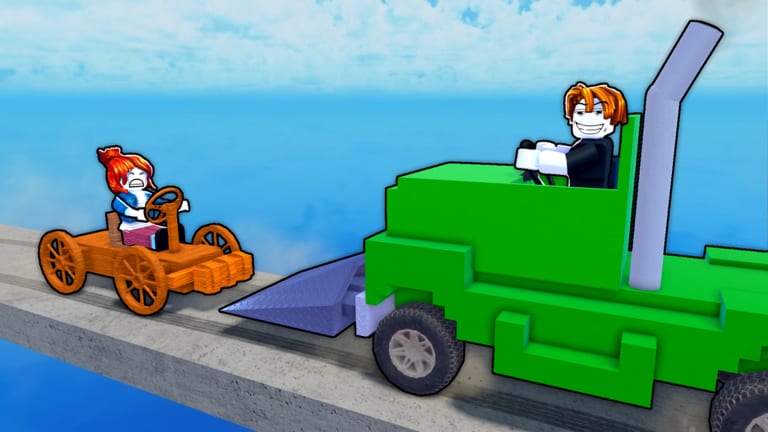
Car DUELS [NOW!] does not currently ship a widely published, developer-authored special-ability key list. What you can count on is standard Roblox vehicle driving: on PC that means WASD (or your device’s equivalent movement keys) to throttle and steer, and on mobile a thumbstick / on-screen drive controls. This page teaches how to use those ordinary inputs to win front-bumper sumo contests without inventing fake keybinds.
If you still need the mode explained, start with Getting Started. For knockout theory after you can drive cleanly, continue to How to Win.
PC baseline
- W —move forward / apply throttle in the facing direction.
- S —reverse or brake depending on context and vehicle state.
- A / D —steer left / right while rolling.
- Camera —use mouse look to preview the edge and enemies before you commit a shove.
That is enough to play at a high level. Fancy wins come from when you press, not from secret letters. Until %100 CARS documents extra abilities, assume movement mastery is the skill tree.
Mobile baseline
- Use the thumbstick (or the experience’s on-screen drive stick) for direction and throttle.
- Keep thumbs relaxed; death-gripping the stick makes micro-adjustments near the rim harder.
- Glance at the full arena between engagements—mobile FOV habits matter when multiple cars converge.
- If your device overheats or stutters in busy lobbies, lower graphics so steering input stays responsive. A delayed turn on the brink is an elimination.
The only “ability” that matters: bumper presentation
Every control decision should serve one outcome: present the front bumper to the enemy with useful speed, then recover. Practice these input patterns:
Line-up steer
Approach from a slight off-angle so A/D (or stick) can straighten the nose into the target’s flank in the last fraction of a second. Early over-steer misses; late straighten lands the face of the bumper.
Throttle through contact
A timid tap often scrapes without moving mass. Feed enough forward input to carry momentum through the collide, especially after Garage weight upgrades from Earn Cash spending.
Controlled reverse
Reverse is for resetting nose direction and escaping a lost edge contest—not for long panic retreats across the whole map. Short S taps (or stick back) to reorient, then W back into a better angle.
Camera-led turns
On PC, peek the camera toward water before you accept a head-on near the rim. If the exit vector is bad, release the commit and steer tangential instead of pride-forcing a coin flip.
Edge-specific control habits
Most knockouts happen near the drop into water. Control rules change there:
- Stop floor-it brain. Full throttle into a heavier car while your rear faces open air is how highlights happen—to the other team*.
- Steer for a glancing exit. If you are losing a shove, a partial angle off their bumper can slide you along the rim instead of straight out.
- Re-center after a win. One W-forward celebration chase has yeeted countless almost-winners when a third car arrives.
- Prefer tangential paths. Driving parallel to the brink while pressuring outward is safer than perpendicular all-in charges.
These habits pair with team spacing on Red vs Blue rounds—do not reverse into an ally who is finishing a pin.
Device setup checklist
- Stable frame rate beats max eye candy.
- On PC, clear mouse pad space for large camera sweeps.
- On mobile, play in a grip that cannot accidentally cover the stick.
- Headphones help with engine/collide audio cues even when the UI is busy.
- Close background apps if input lag appears mid-lobby.
Practice routine (15 minutes)
- Nose tracking: Pick a non-edge target and only count hits where your front clearly contacts first.
- Reverse reset: After each collide, practice a short reverse + re-square within two seconds.
- Rim retreat: Intentionally take a bad edge shove and focus only on the escape steer.
- Camera discipline (PC): Call out (to yourself) where water is before every committed W push near the ring.
- Thumbstick smoothness (mobile): Drive figure-eights in safer center space to reduce twitch overcorrection.
Repeat after Garage upgrades—heavier cars change braking and turn feel, so controls practice never truly ends. Spend priorities live on the Tier List Hub.
Common control mistakes
- Holding turn too early and drifting the bumper off-target.
- Spamming reverse with no plan until someone boots your side.
- Never looking at the edge while chasing kills (see Players for how strong lobbies path).
- Blaming “missing keybinds” instead of practicing angle and timing.
- Installing risky automation that hijacks input—account safety notes on Scripts.
Accessibility and comfort
If WASD is uncomfortable, Remap through Roblox / OS options where available, but keep a layout you can execute under panic. Consistency beats novelty. Short sessions with good focus outperform long sessions with numb thumbs.
Putting controls into match flow
- Claim codes and upgrade if needed (Codes).
- Enter arena with a planned first angle, not a blind W hold.
- Use mid-map space to straighten the nose.
- Take edge fights only with an escape steer already in mind.
- Between rounds, note whether misses were mechanical (steer timing) or tactical (bad target choice)—then open How to Win or this page accordingly.
Car DUELS rewards drivers who make ordinary keys look unfair. Master the basics, then let Garage power amplify them.
Frequently Asked Questions
Quick answers to the most common Car DUELS questions.
What are the Car DUELS controls on PC?
Use standard Roblox vehicle driving: WASD to move and steer, with mouse camera to track enemies and edges. No special ability keys are officially documented.
How do I drive on mobile?
Use the on-screen thumbstick / drive controls. Focus on smooth steering near the rim and keep graphics stable so input stays responsive.
Is there a boost or special attack key?
Nothing is officially documented as a unique Car DUELS ability bind. Win with bumper lining, momentum, and positioning instead of hunting secret keys.
Why do I keep falling off while chasing?
You are likely over-committing throttle with your rear toward water. Practice edge disengages on this page and the tactics in How to Win.
Do heavier Garage cars control differently?
Yes. More mass changes how shoves and turns feel. Re-practice line-ups after upgrades from Earn Cash spending.
Can scripts drive for me?
Third-party automation can violate Roblox rules and risk bans. Read the safety disclaimer on the Scripts Hub and prefer manual skill.